Skip to content
Qomni

Agents

Create an agent, give it a voice and put it to work: REST for the calls and a WebSocket to talk to it in real time from your app.

Base URL
https://api.qomni.ai/agents/v1
Key
sk_agents_test_…
curl https://api.qomni.ai/agents/v1/calls \
  -H "Authorization: Bearer sk_agents_test_…"

What's new

Changelog

What changed in the API and in this documentation, by date: what is new, what changed and what was fixed in each release.

Subscribe to RSS
  1. Beta: the website, the waitlist and this documentation are public

    Platform

    Qomni Agents enters private beta. From today qomni.ai and this documentation are public, and you can join the waitlist. The API and the app are not open yet.

    New

    • qomni.ai with the Agents waitlist: you leave your e-mail and we write to you once, when it opens.
    • This documentation at docs.qomni.ai, in Spanish, English and Portuguese.
    • Beta status: what is done, what is left and how it opens, step by step until the first customer.

    Changed

    • Agents shows as “Coming soon” across the portal and every guide says the API does not respond yet. The examples show how it will work.
  2. The API on a single host

    Platform

    The Qomni API now lives at api.qomni.ai, with the product and the version in the path: https://api.qomni.ai/agents/v1. The previous host (agents-api.qomni.ai) no longer serves requests: it responds 404 api_host_moved with the new base URL, without redirecting.

    Changed

    • API base URL: https://api.qomni.ai/agents/v1, previously https://agents-api.qomni.ai/v1. Change your client’s base URL; the paths, keys and responses do not change. See Welcome.
    • Realtime: create the session with POST https://api.qomni.ai/agents/v1/realtime/sessions; its url is wss://api.qomni.ai/agents/v1/realtime?session=…. See Talk to an agent in real time.
    • TypeScript SDK: baseUrl is now the host (by default https://api.qomni.ai) and each product adds its /{product}/v1. See Use the TypeScript SDK.
    • New errors: 404 api_host_moved on the old host and 404 unknown_api when the path does not start with an API. See Errors.
  3. Tutorials, and a changelog per product with RSS

    Platform

    A tutorials section with end-to-end solutions, and this page with a product filter, a page per entry and RSS.

    New

    • Tutorials: end-to-end guides with the time they take, filterable by product, and “Start here” on the home page.
    • Product filter above the list (?product=agents shares it) and changelog RSS in each language.
    • Each entry has its own URL (/es/changelog/2026-10-23-blog-subscriptions/), with the previous and the next one at the foot; the home page and the product menu link there.

    Changed

    • The timeline carries the date in a column on the left, the title as a link and the product as a tag in its color; entries run from newest to oldest.
    • The home page groups products by category and the hero prompt is a button with the marks of the AI agents. A “Ready for your AI agent” band gathers llms.txt, llms-full.txt and the Markdown of each page.
  4. Blog subscriptions by email

    Platform

    The blog emails you about each new article: leave your address at the foot of any article or of the list, confirm from the email and you are done.

    New

    • Subscription form on the blog and at the end of each article, with email confirmation (double opt-in) and unsubscribe from any message.
    • The API behind it, api.qomni.ai/newsletter/v1 (POST /subscriptions), never says whether an address is already subscribed and accepts five sign-ups per hour from the same IP address.
    • The blog in three languages, also by RSS: /es/blog/rss.xml, /blog/rss.xml and /pt-br/blog/rss.xml.
  5. BYOC, connect your own telephony

    Agents

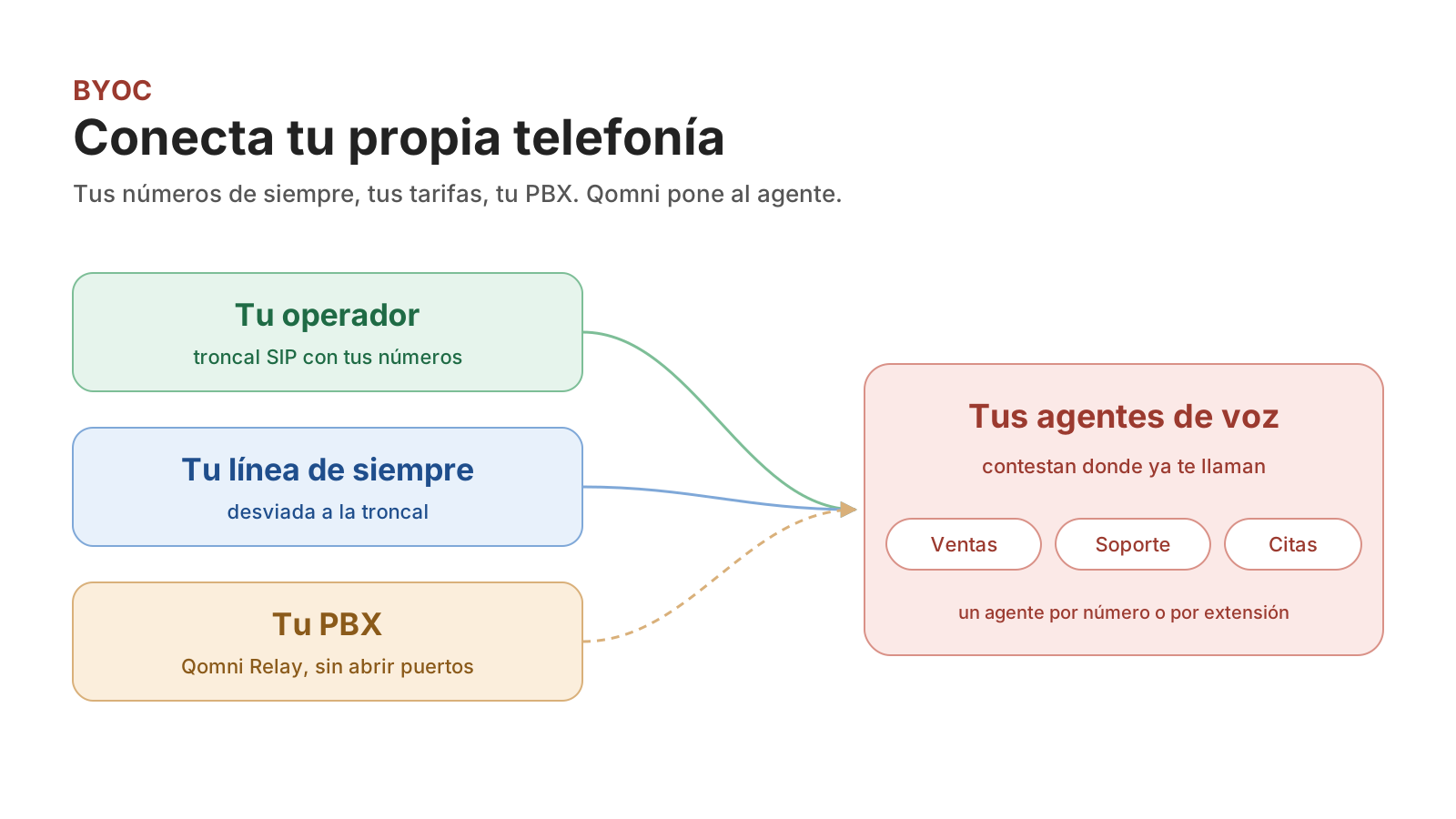
    Your usual carrier and line reach your voice agents

    Bring your carrier or your SIP trunk and your usual numbers reach your voice agents, without porting anything and without changing provider.

    New

    • BYOC: your own telephony: the two ways to bring it (SIP trunk and forwarded line), which agent answers each number and how to call out through your carrier.
    • An announcement in the portal presents BYOC with its link; dismiss it once and it does not come back.
  6. TypeScript SDK

    Agents

    @qomni/sdk calls the Agents API with one method per operation, the contract’s types and errors with a code; the reference shows its calls.

    New

    • Use the TypeScript SDK: new Qomni({ apiKey }) and qomni.agents.createCall(…), with idempotencyKey as an option and QomniError (status, code, message, requestId, fields).
    • The TypeScript example of each operation in the Agents reference uses the SDK; cURL and Python stay as they were.
    • The SDK is generated from the contract with bin/contracts generate; it is not on npm yet and installs from the repository.
    • Announcements in the portal: a card presents the latest new feature, with a link and, when there is one, a video; dismiss it once and it does not come back.
  7. Complete examples, diagrams and blog

    Platform

    The portal gets a new face: the examples in the guides are whole programs with their output, processes are explained with diagrams, there is an engineering blog and this log details each release.

    New

    • Blog: engineering notes on how the platform is built, starting with cells per country and the anatomy of an API key.
    • Process diagrams in The edge and the cells, Idempotency and retries and Talk to an agent. They open at full size with one click.
    • Product menu with a preview: hover over a product to see its host, its first call and its guides; on the right, the latest announcements with an image.
    • “On this page” menu under the title on small screens, with the section you are reading marked.
    • The sidebar can be hidden from its button; the choice is remembered.

    Changed

    • Neutral theme, light and dark: whites and grays, with the brand color only in the logo and in what is selected (tab, menu row, indicator).
    • Code examples show the languages as tabs in the block’s header, with each one’s icon, a single copy button and line numbers; choosing Python in one block chooses it in all of them.
    • The guides follow Cloudflare’s style guide: each page type (overview, quickstart, concept, task, reference) has the same shape, with “Before you begin”, “You should see” and “Next step” in the tasks.
    • API reference: each operation has a short title (“Create call”) and its explanation apart, and the endpoint groups have a name. The example’s language selector is a menu with each language’s icon. The sidebar starts with Overview and the product’s Reference, like the one in its guides.
    • This log: each entry carries its date in a lane, the product as a tag and the lists of what is new, changed and fixed.
    • More compact tables and pagination in cards with the title of the previous and the next page.

    Fixed

    • The Colombian flag in the language menu was drawn wrong.
    • The sidebar’s width changed from one page to another.
    • A click on an image in the guides did not open the viewer.
  8. Documentation in English and Portuguese

    Platform

    The guides in Spanish, English and Portuguese

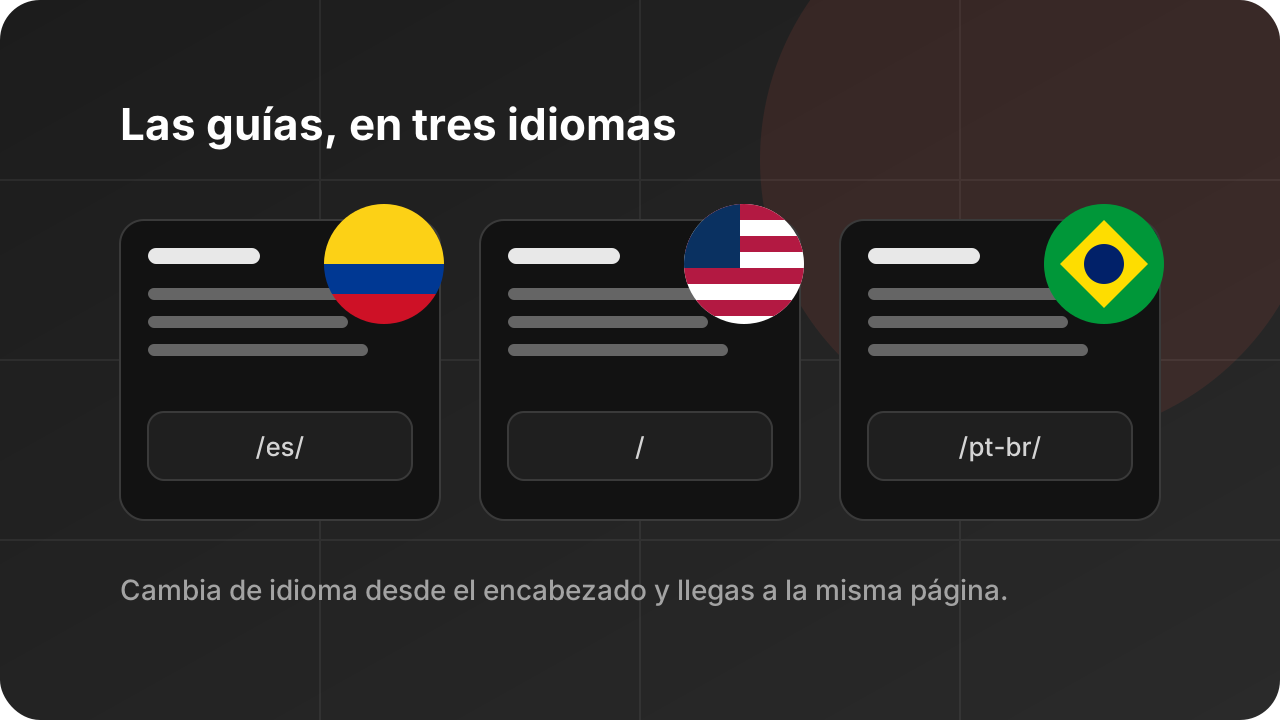
    The guides are now also in English and in Portuguese. Switch language from the header menu: it takes you to the same page.

    New

    • English at the site root (docs.qomni.ai/concepts/errors/) and Portuguese under /pt-br/, translated from the Spanish guides and reviewed.
    • Language menu in the header, with each language’s flag.
    • Each page declares its versions in the other languages (hreflang), so that a search engine shows the reader’s.

    Changed

    • Spanish moves to /es/; each previous URL redirects to its new page.
    • The API reference stays in English and is the same for the three languages; its menu and its links are in the page’s language.
  9. New home page and product directory

    Platform

    The home page shows the product with its first call, the latest changes and what is common to the whole API.

    New

    • Directory with the products by category, with a text filter.
    • Each page can be opened in Claude or in ChatGPT, copied as Markdown or viewed in Markdown from its actions menu.

    Changed

    • The Qomni logo, a custom typeface for headings (replaced the next day by the system’s) and transitions between pages: the active tab and row slide to the next one.
    • Product menu next to the logo, with the product’s icon and outcome.
  10. New portal

    Platform

    The documentation moved to its own portal, generated from contracts/.

    New

    • The Agents section with its REST reference.
    • The Agents WebSocket reference, generated from its AsyncAPI.
    • The guides in Spanish, with the same menu and the same search as the reference.
  11. New developer documentation

    Platform

    One page per product, examples in cURL, Python and TypeScript in the guides and this changelog.

New

2 of 7 steps doneNext: the platform in production

Qomni is in private beta

The API and the app are not open yet. See what is done, what is left and how it opens, step by step until the first customer.

Type to search…

↑↓ move↵ openEsc to close